> ## Documentation Index
> Fetch the complete documentation index at: https://docs.msu.io/llms.txt
> Use this file to discover all available pages before exploring further.
# Get Started
## **1. What is MSU Builder?**
MSU Builder (msu.io/builder) is the official platform where Builders can register, manage accounts, and access the tools and resources needed to build within the MapleStory Universe ecosystem. Using the MSU Open API and other resources available through the Builder Center, Builders can create services, tools, and content that connect with MSU’s games, assets, and community.
The onboarding process follows these steps:
• Stage 1: Create a Builder account
• Stage 2: Apply for API key and complete KYC (ID + Selfie verification) or KYB verification
• Stage 3: Receive API key after review
• Stage 4: Complete Synergy App development and pass the live review to launch the service
KYC (PoA) or KYB verification is required before going live with a service.
## **2. Creating a Builder Account**
Visit [https://msu.io/builder](https://msu.io/builder) and click the 'Connect' button to begin the sign-up process.
Connecting through other MSU services will register a Mapler account, not a Builder account. To sign up as a Builder, make sure to connect through the Builder Center.
### **2.1. Wallet Connection**
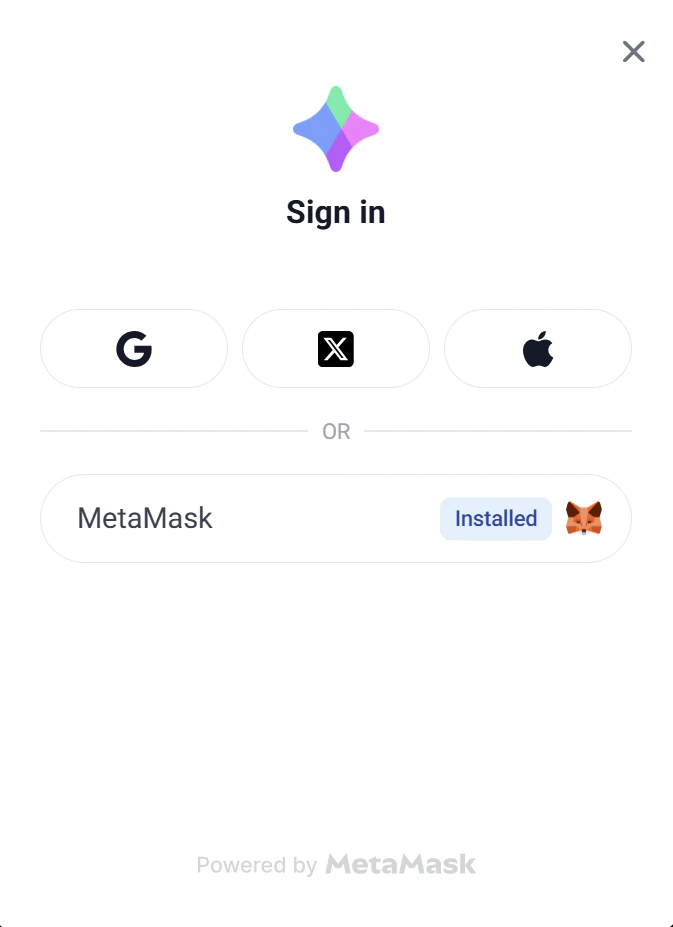 Builders can sign up using a MetaMask wallet or a social account (Google, X, or Apple).
For detailed instructions on wallet creation and sign-up methods, refer to \[**[Wallet Connect Guide](https://docs.msu.io/welcome-to-msu/wallet-connect)]**.
Wallets already registered as a Mapler or Builder account cannot be used to sign up. Please use a new wallet that has not been registered with MSU.
### **2.2. Fill in Information and Email Verification**
Builders can sign up using a MetaMask wallet or a social account (Google, X, or Apple).
For detailed instructions on wallet creation and sign-up methods, refer to \[**[Wallet Connect Guide](https://docs.msu.io/welcome-to-msu/wallet-connect)]**.
Wallets already registered as a Mapler or Builder account cannot be used to sign up. Please use a new wallet that has not been registered with MSU.
### **2.2. Fill in Information and Email Verification**
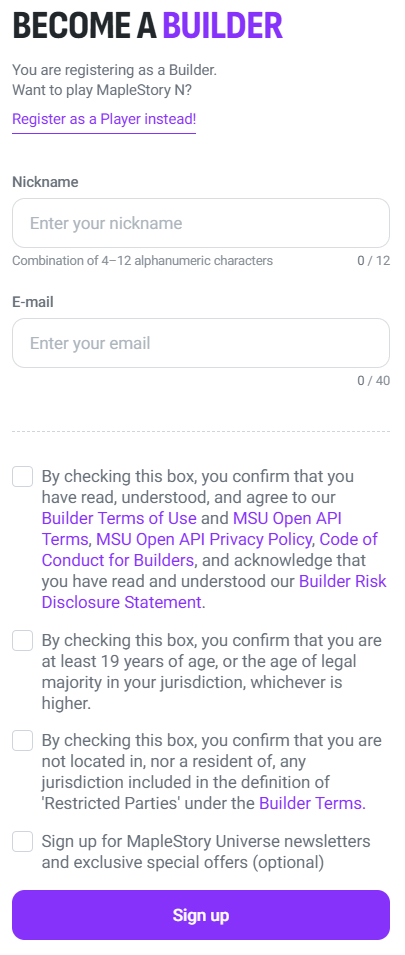 Enter the following: nickname, email address.
Review and agree to the terms, then proceed with sign-up.
Email addresses already verified under another MSU Builder account cannot be used. If a duplicate email error appears, the email is already associated with another Builder account. Please use a different email address to sign up.
Enter the following: nickname, email address.
Review and agree to the terms, then proceed with sign-up.
Email addresses already verified under another MSU Builder account cannot be used. If a duplicate email error appears, the email is already associated with another Builder account. Please use a different email address to sign up.
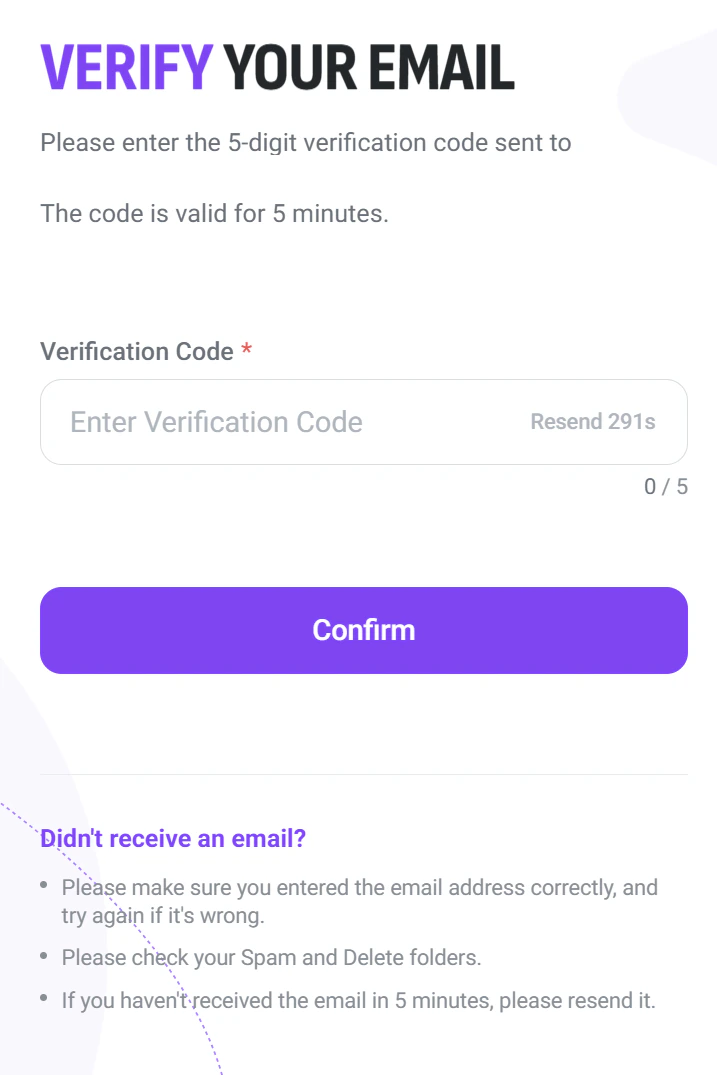 A 5-digit verification code will be sent to the registered email address. Enter the code in the 'Verification Code' field and click 'Confirm.'
* The code is valid for 5 minutes. If it expires, click 'Resend' to receive a new code.
* If the email is not received, check the Spam or Deleted folders and make sure the email address was entered correctly.
### **2.3. Signature Request**
A 5-digit verification code will be sent to the registered email address. Enter the code in the 'Verification Code' field and click 'Confirm.'
* The code is valid for 5 minutes. If it expires, click 'Resend' to receive a new code.
* If the email is not received, check the Spam or Deleted folders and make sure the email address was entered correctly.
### **2.3. Signature Request**
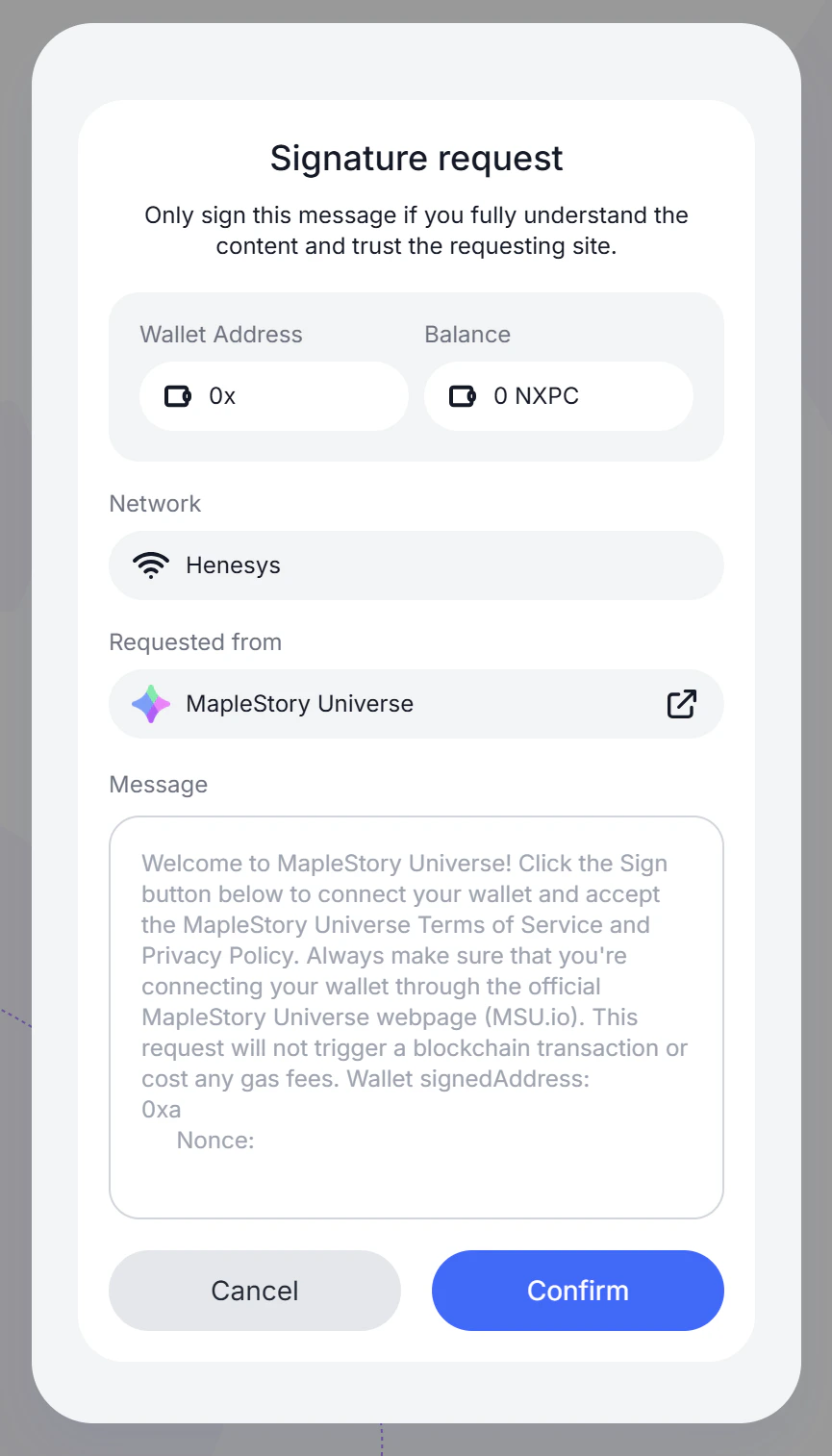 A signature request will appear in the wallet. Review the request details — Wallet Address, Network (Henesys), and the requesting site (MapleStory Universe) — then click 'Confirm' to sign.
Only sign this message if the request is from MapleStory Universe ([http://msu.io](http://MSU.io)). This request does not trigger a blockchain transaction or incur any gas fees.
### **2.4. Asset Access Permission**
A signature request will appear in the wallet. Review the request details — Wallet Address, Network (Henesys), and the requesting site (MapleStory Universe) — then click 'Confirm' to sign.
Only sign this message if the request is from MapleStory Universe ([http://msu.io](http://MSU.io)). This request does not trigger a blockchain transaction or incur any gas fees.
### **2.4. Asset Access Permission**
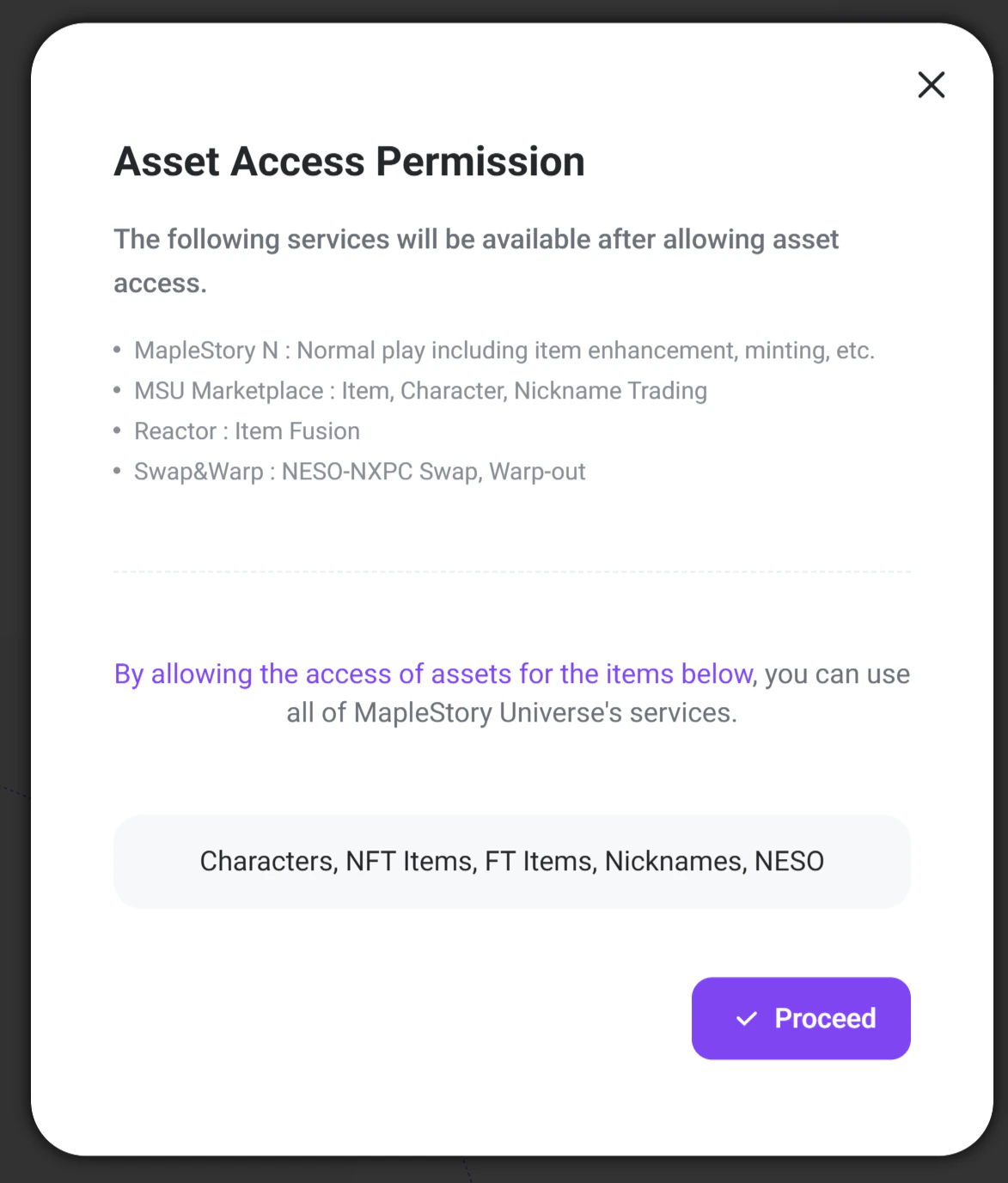 An 'Asset Access Permission' popup will appear. This grants MSU services permission to access the following assets in the wallet:
• Characters, NFT Items, FT Items, Nicknames, NESO
**Allowing access enables the following services:**
* MSU Marketplace: Item, character, and nickname trading
* Reactor: Item Fusion
* Swap & Warp: NESO-NXPC swap and warp-out
**The following services are not available with Builder access:**
* MapleStory N: Normal play including item enhancement and minting
Click 'Proceed' to grant access.
### **2.5. Final Signature Request**
An 'Asset Access Permission' popup will appear. This grants MSU services permission to access the following assets in the wallet:
• Characters, NFT Items, FT Items, Nicknames, NESO
**Allowing access enables the following services:**
* MSU Marketplace: Item, character, and nickname trading
* Reactor: Item Fusion
* Swap & Warp: NESO-NXPC swap and warp-out
**The following services are not available with Builder access:**
* MapleStory N: Normal play including item enhancement and minting
Click 'Proceed' to grant access.
### **2.5. Final Signature Request**
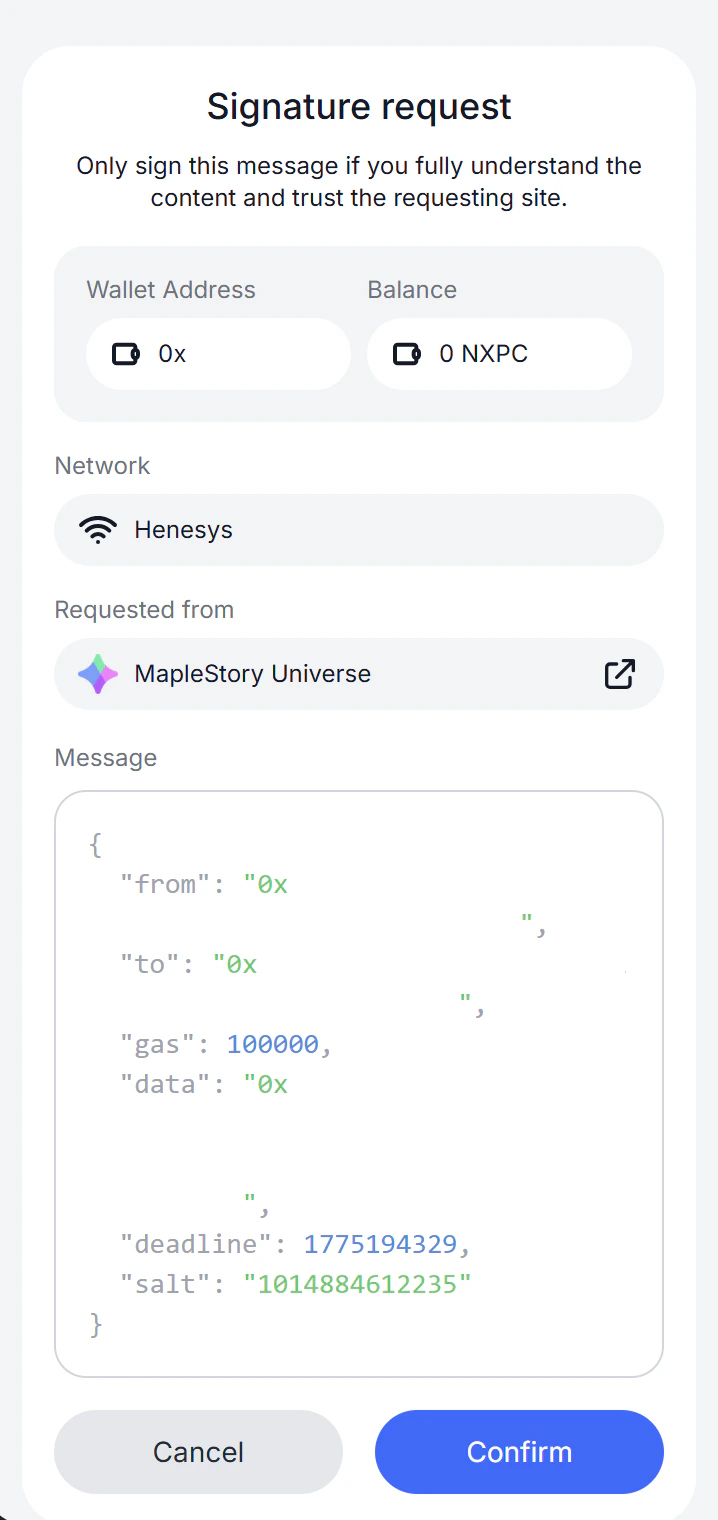 A signature request for asset access permissions will appear. Review the message and click 'Confirm' to complete the sign-up.
### **2.6. Account Created — Level 0**
A signature request for asset access permissions will appear. Review the message and click 'Confirm' to complete the sign-up.
### **2.6. Account Created — Level 0**
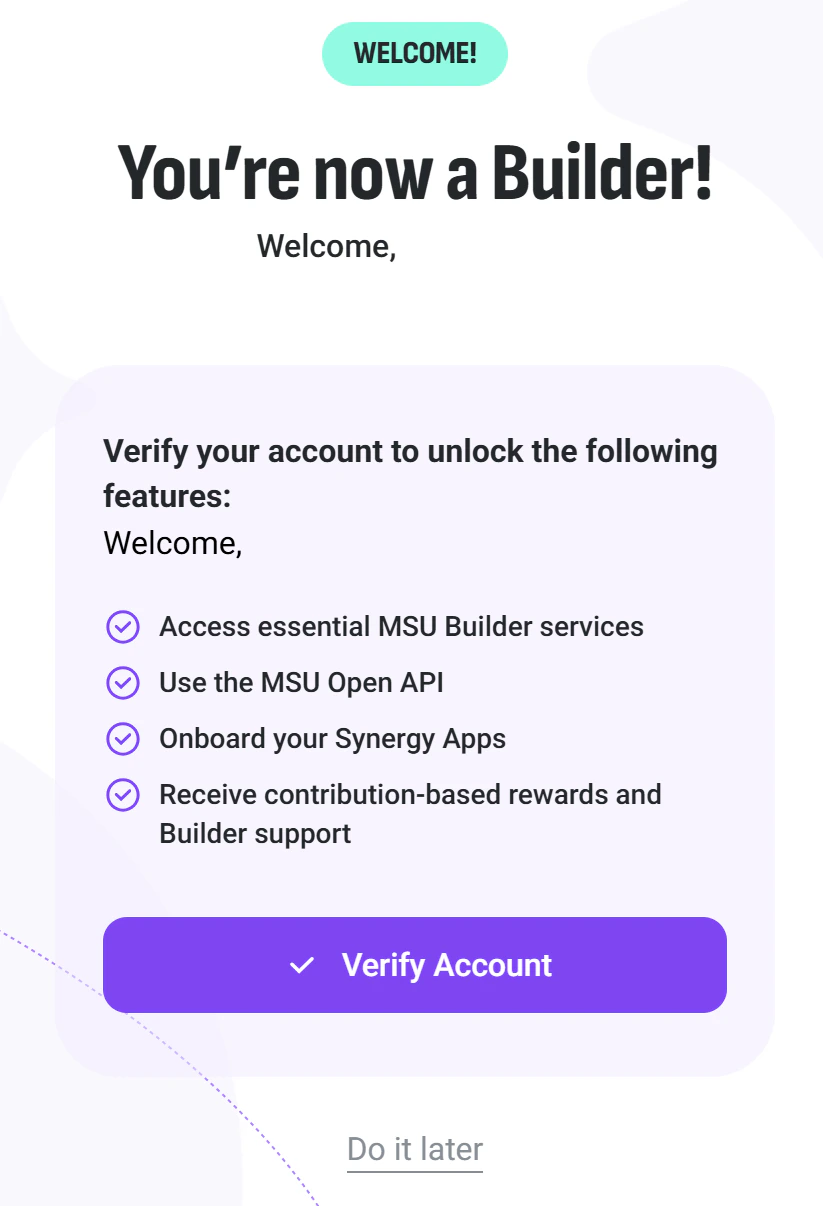 Once the Builder account is created, Maplers can use essential MSU services (MSU Marketplace, Swap & Warp, Reactor) and apply for API access.
KYC/KYB verification is required to use the Open API and onboard a Synergy App.
* A KYC/KYB guidance email will be sent after the API key application is submitted. The API key will be issued once the process is complete.
* Builders start at Level 0. Full access to the MSU Open API and Builder features requires completing KYC/KYB verification (Level 1).
## **3. KYC/KYB Verification**
### **3.1. Complete KYC Verification**
Once the Builder account is created, Maplers can use essential MSU services (MSU Marketplace, Swap & Warp, Reactor) and apply for API access.
KYC/KYB verification is required to use the Open API and onboard a Synergy App.
* A KYC/KYB guidance email will be sent after the API key application is submitted. The API key will be issued once the process is complete.
* Builders start at Level 0. Full access to the MSU Open API and Builder features requires completing KYC/KYB verification (Level 1).
## **3. KYC/KYB Verification**
### **3.1. Complete KYC Verification**
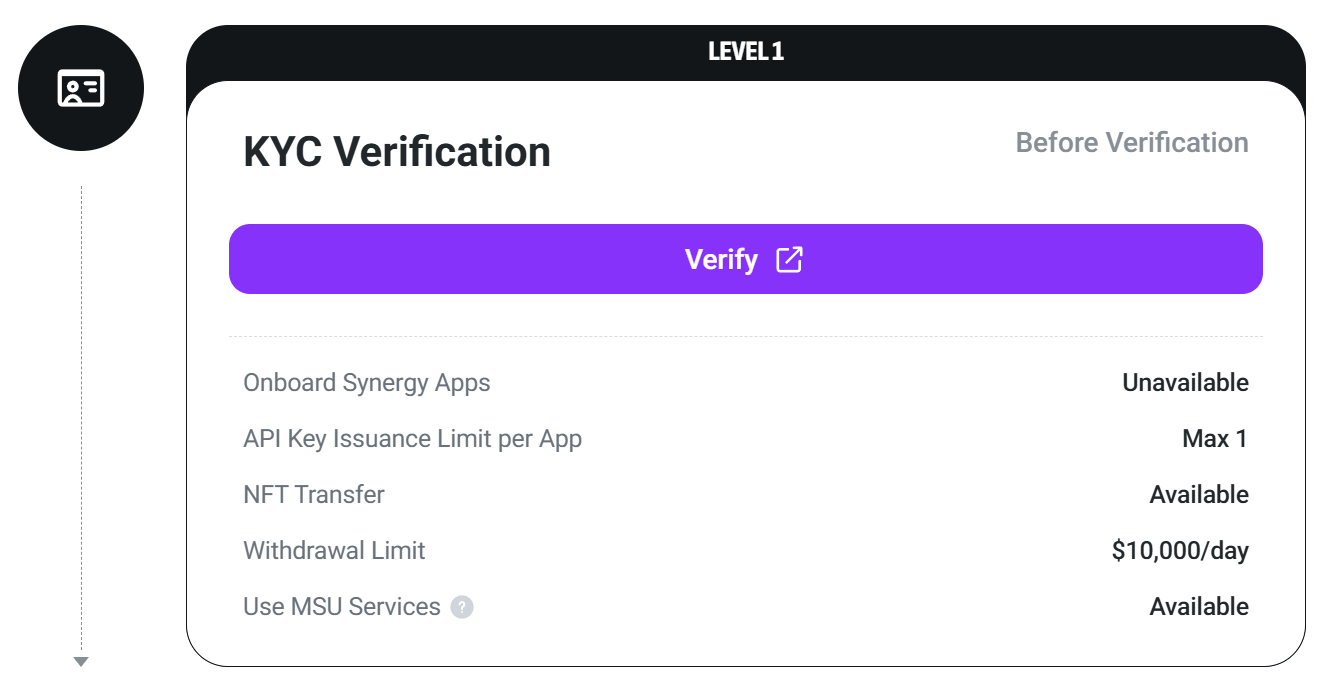 You can complete the verification process through **My Page > Verification** in the Builder Center.
### **3.2. Verification Complete**
Once KYC/KYB verification is approved, My Page will update to show 'Complete ✓'. The following features will be activated:
For details on features available at each KYC/KYB level, refer to \[[Builder Verification](https://docs.msu.io/msu-builder/builder-verification)].
## **4. Receiving the API Key**
You can complete the verification process through **My Page > Verification** in the Builder Center.
### **3.2. Verification Complete**
Once KYC/KYB verification is approved, My Page will update to show 'Complete ✓'. The following features will be activated:
For details on features available at each KYC/KYB level, refer to \[[Builder Verification](https://docs.msu.io/msu-builder/builder-verification)].
## **4. Receiving the API Key**
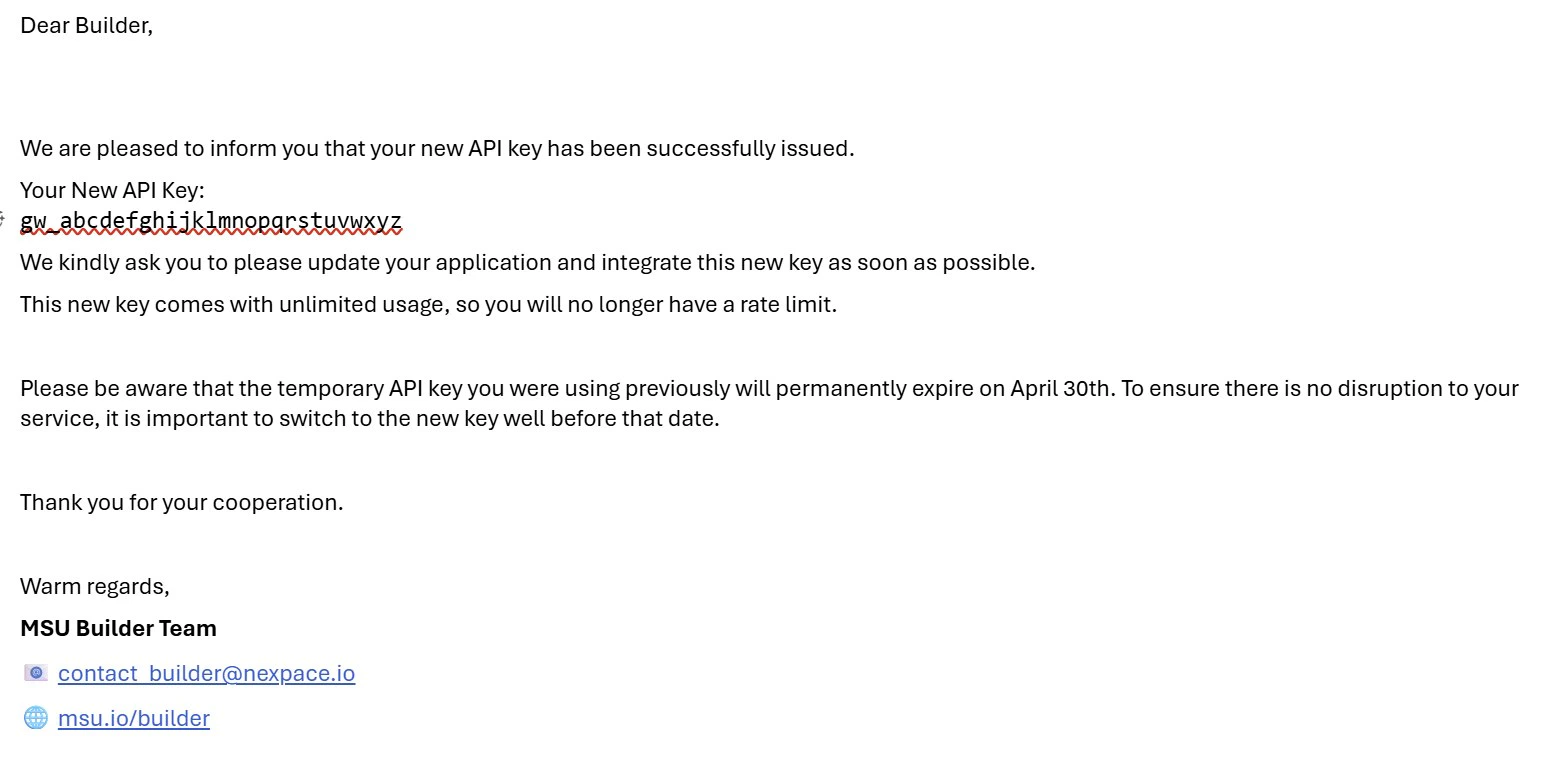 After KYC/KYB verification is approved, the MSU team will review the application and issue an API key via email.
Keep the API key secure. Do not share it publicly or commit it to public code repositories.
API keys are typically issued within one week after verification is approved.
## **5. Checking Builder and Verification Level**
The current Builder level and KYC/KYB verification status can be checked at any time on the My Page in the Builder Center.
• Visit [http://msu.io/builder](http://msu.io/builder) and log in
• Navigate to My Page to view the current verification level and feature access status
For questions or issues, contact the MSU Builder Team at [contact\_builder@nexpace.io](mailto:contact_builder@nexpace.io) or visit the Builder Forum at [forum.msu.io](http://forum.msu.io).
## **6. Live Synergy App Review**
Synergy Apps can go live after passing a review process.
Submit a review request to [contact\_builder@nexpace.io](mailto:contact_builder@nexpace.io).
Once approved, a live key will be issued.
***
After KYC/KYB verification is approved, the MSU team will review the application and issue an API key via email.
Keep the API key secure. Do not share it publicly or commit it to public code repositories.
API keys are typically issued within one week after verification is approved.
## **5. Checking Builder and Verification Level**
The current Builder level and KYC/KYB verification status can be checked at any time on the My Page in the Builder Center.
• Visit [http://msu.io/builder](http://msu.io/builder) and log in
• Navigate to My Page to view the current verification level and feature access status
For questions or issues, contact the MSU Builder Team at [contact\_builder@nexpace.io](mailto:contact_builder@nexpace.io) or visit the Builder Forum at [forum.msu.io](http://forum.msu.io).
## **6. Live Synergy App Review**
Synergy Apps can go live after passing a review process.
Submit a review request to [contact\_builder@nexpace.io](mailto:contact_builder@nexpace.io).
Once approved, a live key will be issued.
***