
1. Swap
1.1. What is Swap?
Swap is a token exchange service on the Henesys L1 network that allows you to swap NXPC and NESO at a fixed rate. It is designed to support seamless use of both tokens across various features and services within the MapleStory Universe.1.2. How to Swap tokens with Swap
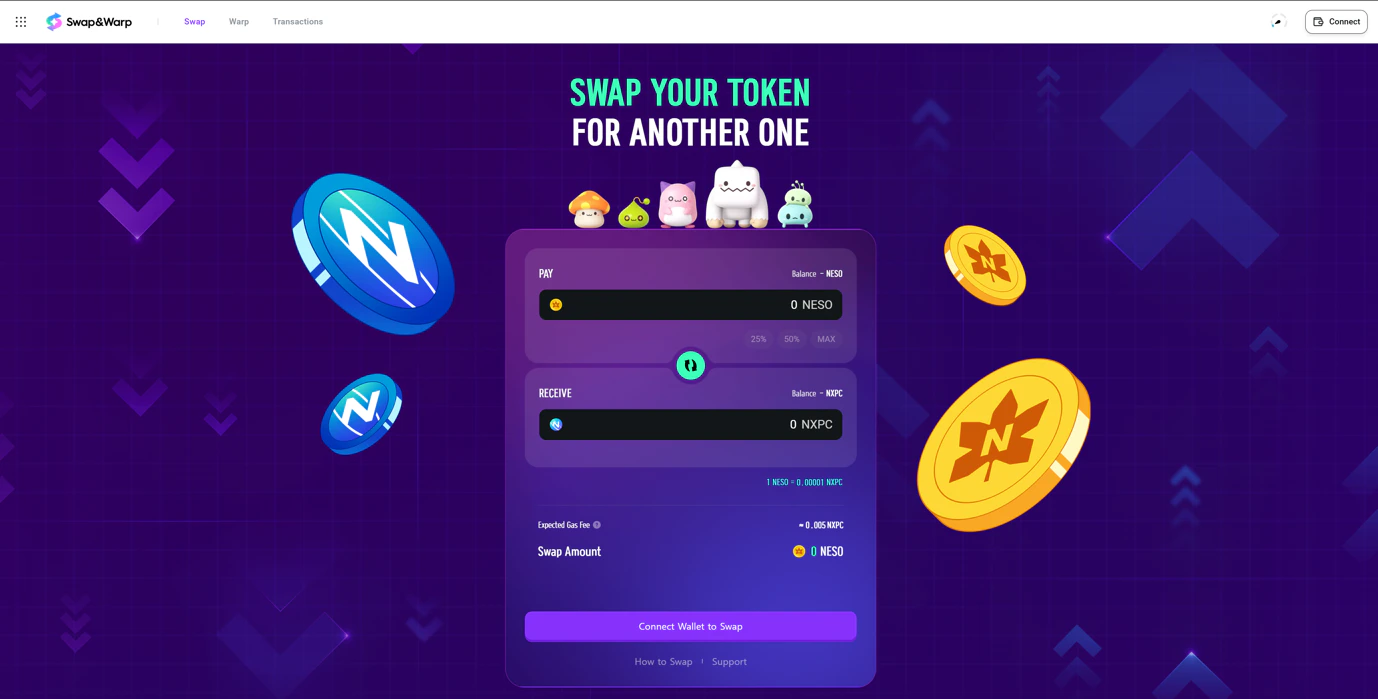
- Connect your wallet
- Visit Swap (https://msu.io/swapnwarp) and connect your wallet.
- Select Swap direction
- To receive NESO, select NXPC as ‘PAY’ → NESO as ‘RECEIVE’
- To receive NXPC, select NESO as ‘PAY’ → NXPC as ‘RECEIVE’
- Enter Swap details
- Amount: Enter the amount you want to swap.
When NXPC is selected as the “PAY” token, the amount must not be less than 0.00001 or below the estimated gas fee. When NESO is selected as the “PAY” token, the minimum amount allowed is 1.
- Fees & Confirmation: Review the estimated network gas fees and confirm all swap details.
- Initiate Swap: Approve and sign the transaction in your wallet to start the swap process.
1.3. Understanding rates and fees
- Exchange rate: Fixed at 1 NXPC = 100,000 NESO.
- Fees: Network gas fees apply. Make sure your wallet has sufficient balance to cover them.
- Gas support: Enjoy two (2) free NESO → NXPC swaps per day designed for a smoother user experience.
1.4. Monitoring your Swap details
- Transaction Tracker: After initiating the transaction, use the pop-up, block explorer link, or the Transaction tab to check progress.
- Transaction History: View all past swaps with direction, amount, and confirmation status. You can filter by wallet address or transaction hash, or click My Transactions to see only your own swap transactions.
2. Warp
2.1. What is Warp?
Warp is a cross-chain bridging service that enables you to transfer tokens or NFTs between Henesys L1 and other supported networks. Warp allows you to move your digital assets securely while maintaining a seamless experience within MapleStory Universe ecosystem.2.2. How to bridge using Warp
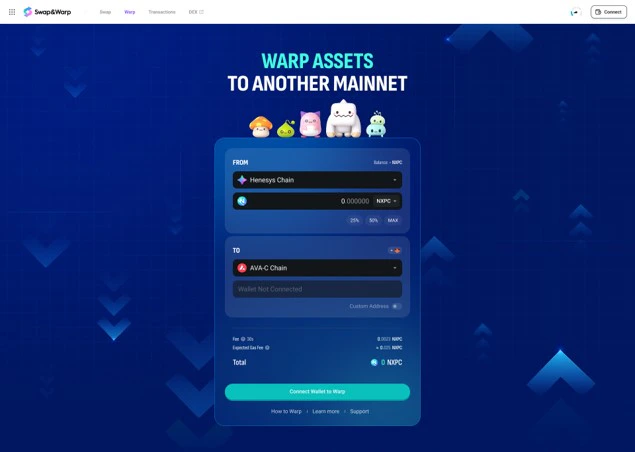
- Connect your wallet
- Visit Warp (https://msu.io/swapnwarp/warp) and connect your wallet.
- Choose your Warp parameters
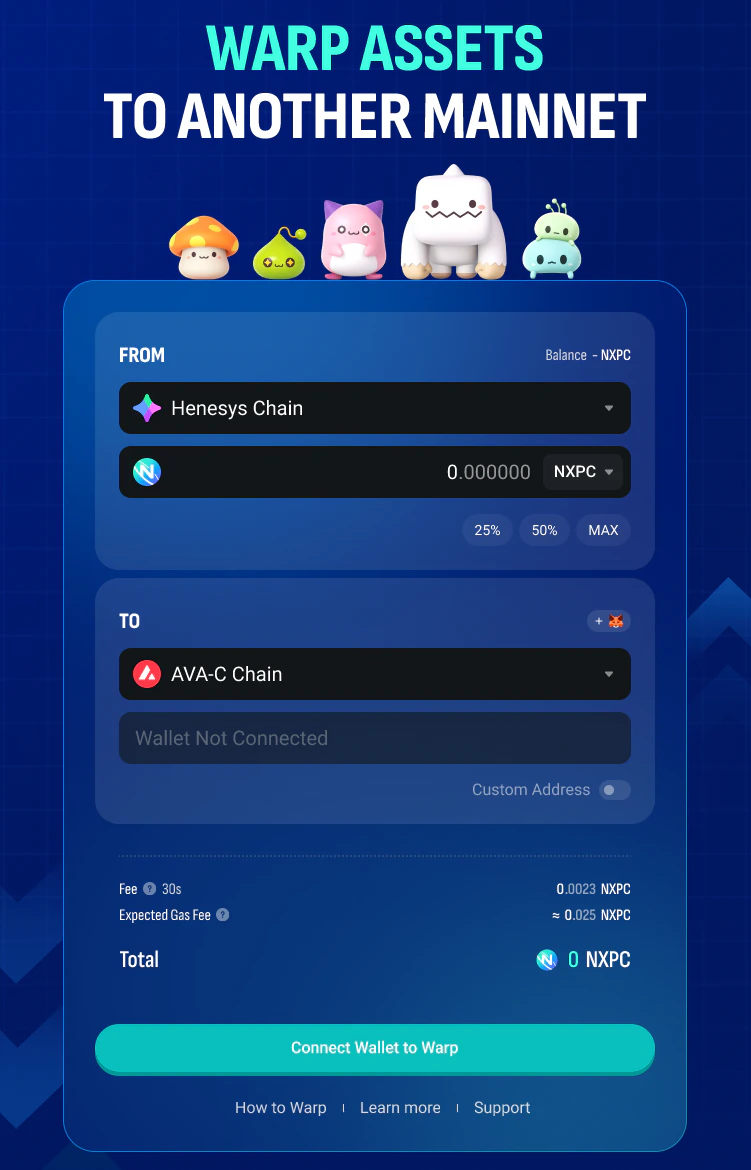
- Select Warp Direction: Choose your source network and destination network.
- Select Asset: Choose the token (NXPC or USDT) you wish to bridge.
- Amount: Enter the amount you want to transfer
- Recipient Address: Enter the wallet address to receive the tokens
- Please double-check the address. Entering an incorrect address may result in permanent loss of your tokens.
- Review and approve the transaction
- Fees & Confirmation: Review the estimated network gas fees and bridge fees and confirm all details.
- Initiate Warp: Approve and sign the transaction in your wallet to start the warp process.
2.3. Understanding fees and transaction status
- Fees: Warp shows estimated network gas fees and bridge fees before you confirm. Make sure your wallet has sufficient balance to cover them.
- Transaction status: Transaction status varies depending on network congestion on both the source and destination networks. The status tracker will update you in real time.
2.4. Monitoring your Warp details
- Transaction Tracker: After initiating the transaction, use the pop-up, block explorer link, or the Transaction tab to check progress.
- Transaction History: View all past warps and confirmation statuses. You can filter by wallet address or transaction hash, or click My Transactions to see only your own warp transactions.
2.5. Warp from Henesys L1
- Outbound vs Inbound: Bridging out (from Henesys L1) works differently from bridging in (to Henesys L1)
- Daily limits: Daily outbound limits depend on your account verification level.\
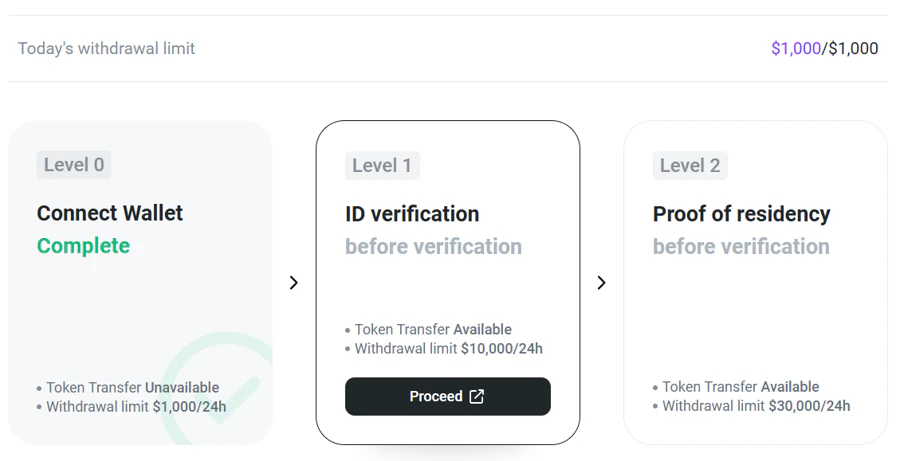
- There is no limit on inbound (bridge-in) transactions.
- For more information, please refer to the KYC FAQ.
- When bridging out, you must confirm that you are not located in, or otherwise subject to, any jurisdiction where access is restricted by applicable laws.
MVP Bronze rank or higher is required to use Warp-Out. Unranked users can only use the Swap and Warp-In features.
3. DEX
3.1. What is a DEX?
- A DEX (Decentralized Exchange) is an exchange that facilitates direct, peer-to-peer cryptocurrency transactions without a central intermediary.
- You can access a DEX to swap NXPC and USDT on the Henesys Network by selecting the ‘DEX’ menu in Swap&Warp.
This DEX is provided and operated by Algebra Labs. For any related inquiries, please contact Algebra Labs.